Thresholds
Use Thresholds to change where notes trigger and release within the calibrated key travel, and how aftertouch responds.
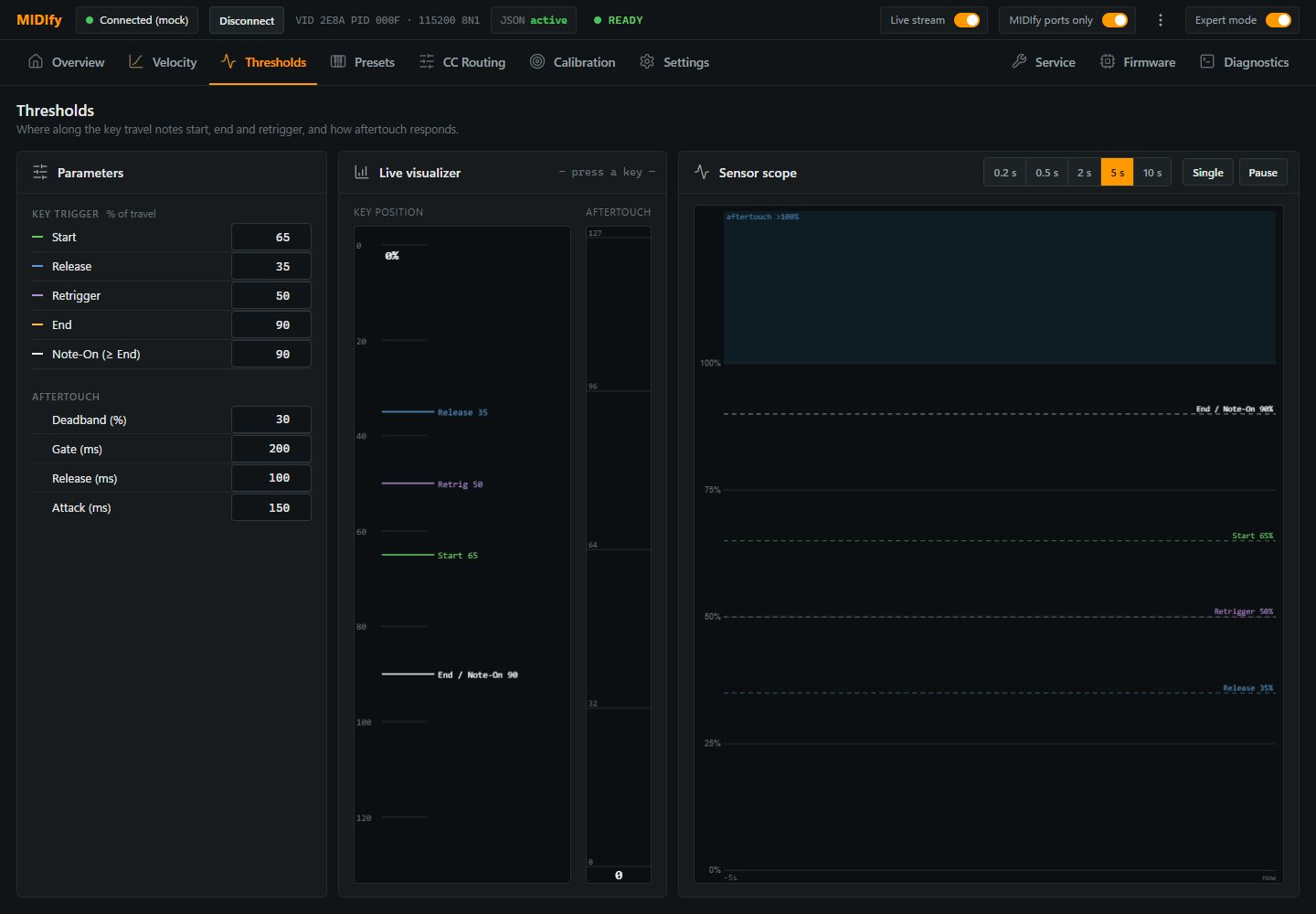
Key thresholds
The percentages refer to calibrated key travel: 0% is the rest position and 100% is the captured pressed position.
| Control | Effect |
|---|---|
| Start | Starts the measurement of the press used for velocity. |
| End | Ends that velocity measurement window. |
| Note-On (≥ End) | Sets where the note triggers. It must be at or beyond End, so the velocity measurement is complete before the note is sent. |
| Release | Sets how far the key must rise before Note Off is sent. |
| Retrigger | Sets the return point that prepares a held key for another strike without requiring a full release. |
With Hammer model enabled, the virtual hammer determines the note start, so Start, End and Note-On do not apply. Release and Retrigger still apply.
Aftertouch
| Control | Effect |
|---|---|
| Deadband (%) | Leaves an inactive part of the calibrated aftertouch range above the normal pressed position. Increase it if aftertouch starts too easily. |
| Gate (ms) | Delays aftertouch after Note On to keep the initial strike from immediately producing pressure data. |
| Attack (ms) | Controls how gradually aftertouch rises once it is allowed through the gate. Set 0 for an immediate rise. |
| Release (ms) | Controls how gradually aftertouch falls back towards zero. |
Check the result
Play a key and use Live Visualizer to compare its movement with the thresholds. Sensor scope shows the movement over time; choose the time span, use Single for one capture or Pause to inspect the trace.